Bufferbloat test
Find out if your connection lags when someone else is using it. Press Start and get a grade from A+ to F.
Ready
- Free
- No sign-up
- Nothing to install
- Download
- Upload
- Latency
- Bufferbloat:
- —
- Provider:
- —
- Test server:
- —
The test downloads and uploads real data. On a fast line that can reach hundreds of megabytes. How we measure
What bufferbloat is
The delay your router adds when the line is busy.
Your router sits between a fast home network and a slower line to the provider. When data arrives faster than the line can carry it, the router stores the excess in a buffer and sends it in order. A little buffering smooths traffic. Too much turns into a queue, and every packet waits its turn, including the small urgent ones from a game or a call.
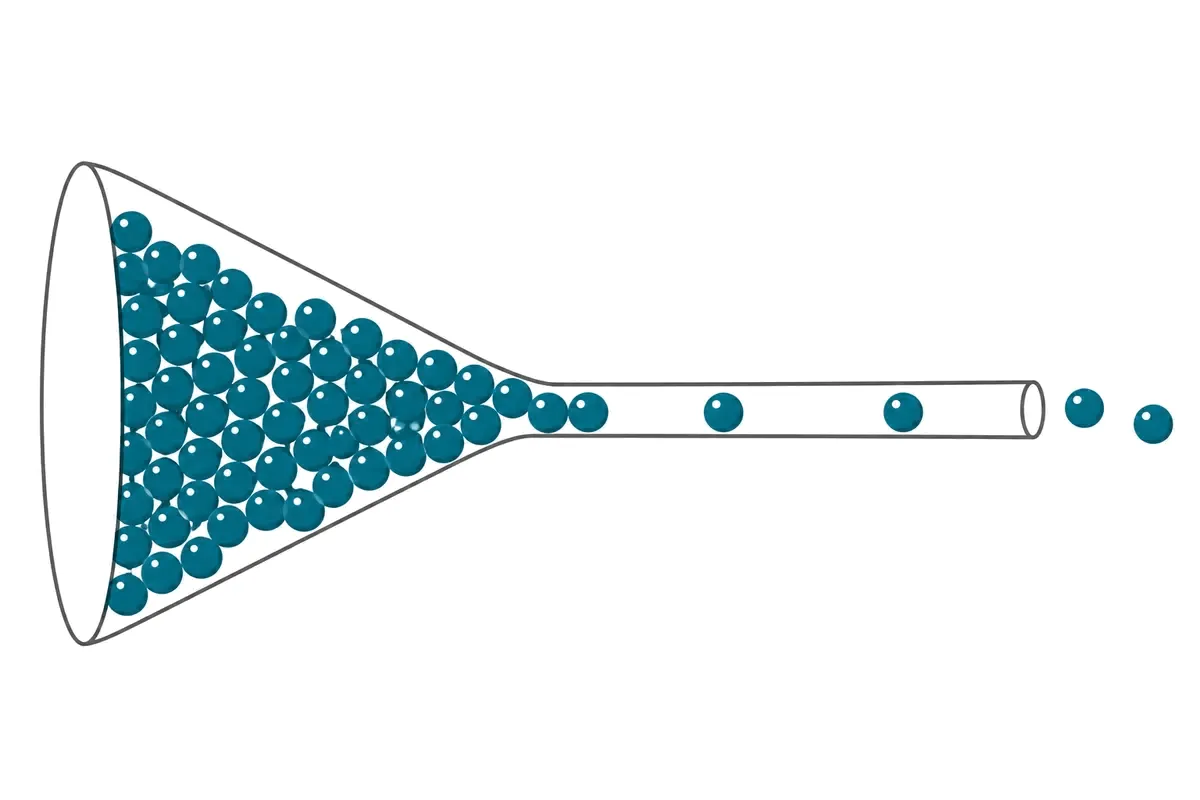
That is why a connection can show hundreds of megabits and still lag: the speed is fine, but latency multiplies as soon as someone starts a download or a video. An idle speed test never sees it. This test measures latency twice, with the line idle and again while the download is running, and reports the difference.
The grade scale
How many milliseconds each grade allows.
| Grade | Latency added | What it means |
|---|---|---|
| A+ | up to 5 ms | No effect on games or calls |
| A | up to 15 ms | Barely noticeable |
| B | up to 35 ms | Fine for most uses |
| C | up to 70 ms | Calls and games stutter when the line is busy |
| D | up to 150 ms | Frequent lag under load |
| F | above 150 ms | Interactive use breaks whenever someone downloads |
The boundaries are the ones the test applies; the table is generated from the same scale.
How to fix a bad grade
Four steps, most of them in the router settings.
- Turn on Smart Queue Management (SQM). Routers that offer it list algorithms such as fq_codel or CAKE. They keep the queue short and let small packets through between large ones.
- Set the limit slightly below your measured speeds. The queue must form inside your router, where SQM controls it, and not in the provider’s equipment. Use the download and upload medians from this test as the starting point and lower them by about a tenth.
- Test again. The download number will drop a little and the grade should rise. That trade is the point: a slightly slower line that never stalls.
- If the router has no SQM, a "QoS" or "gaming" mode sometimes helps, and third-party firmware such as OpenWrt adds SQM to many models. Otherwise the fix is a router that supports it.
Buying a faster plan does not help. The queue forms at the limit of the line, whatever that limit is.
Bufferbloat questions
What is bufferbloat?
It is the extra delay a connection gains when it is busy. Routers hold packets in a queue when data arrives faster than the line can carry it. If that queue is too long, small urgent packets from a game or a call wait behind a large download, and latency jumps from a few milliseconds to hundreds.
How does this test measure it?
It measures latency twice: first with the line idle, then again every 700 ms while the download stage is running. Bufferbloat is the median loaded latency minus the idle latency. The result is shown in milliseconds and as a grade.
What is a good bufferbloat grade?
A+ means the line added 5 ms or less under load, and A means up to 15 ms: games and calls are not affected by other traffic. B, up to 35 ms, is fine for most uses. From C downward, real-time applications will stutter whenever the line is busy.
How do I fix bufferbloat?
Enable Smart Queue Management (SQM) on the router, with an algorithm such as fq_codel or CAKE, and set its limit slightly below your measured speeds. Many stock routers do not offer it; third-party firmware such as OpenWrt does. A faster plan does not fix bufferbloat, because the queue forms at whatever the limit is.
Does a high grade mean my internet is fast?
No. The grade describes stability under load, not speed. A 20 Mbps line can score A+ and a gigabit line can score D. Both numbers matter: speed for downloads and video, the grade for anything interactive.